Messenger
- 4.7
- Rating
- 5.00B
- Installs
- Free
- Price

 Analysis by App-foxy
I judge communication apps by what happens when real life gets in the way: a weak signal on a train, a message sent while walking between appointments, or a family conversation that suddenly becomes a group video call. Messenger is built for those everyday moments, and after using it across different mobile situations, I found its biggest strength is not simply sending messages. It is the way it keeps conversations, media, calls, and social contact close together in one familiar place.
Developed by Meta Platforms, Inc., Messenger is a free communication app for everyone. It has grown into one of the most widely used options in its category, with over five billion installs and an average rating of 4.7 from around 112 million ratings. Those figures do not automatically make it the best choice for every person, but they explain why it is often the easiest bridge between friends, relatives, and groups who already use Facebook or other Meta services.
I also like that the app is easy to start using. You do not need to learn a complicated workspace or understand a business-style contact system before having a conversation. At the same time, that simplicity can hide useful controls, and the experience becomes more demanding when a chat contains years of images, reactions, shared links, calls, and notifications. My review focuses on that practical balance: how Messenger behaves when connectivity is excellent, when it is unreliable, and when you need to recover from a failed or confusing exchange.
In-Depth Coverage of Messenger
How Messenger feels when connectivity is doing the heavy lifting
I find Messenger most useful when the connection is strong enough to make its different ways of communicating feel like one smooth exchange. In this section, I’ll look at how to move from a quick message to a call or shared image without losing the important details along the way. That workflow also makes it easier to see where a simple fallback can save a plan when the network falters.
Fast conversations are its natural environment
When the connection is stable, Messenger feels immediate. I can move from a short text to an image, voice message, reaction, or call without changing apps. That continuity matters more than it sounds. A friend may first ask a quick question, then send a photo for context, and finally decide that talking is easier than typing. Messenger handles that change of pace without making the conversation feel fragmented.
This is especially useful for informal groups. A family can keep travel updates in one thread, classmates can exchange files and reminders, and a group of friends can plan a meal without forcing everyone to use a separate platform for each part of the discussion. The app’s social character makes it comfortable for low-pressure contact, while its direct conversations are quick enough for practical coordination.
Connectivity also shapes the quality of calls. A strong network makes voice and video conversations feel natural, but a weak one can change the experience quickly. I would not treat Messenger as a guarantee of uninterrupted communication simply because it offers several ways to contact someone. Text is usually more forgiving than a live call, while video needs a steadier connection and can become frustrating when the network fluctuates.
The hidden cost of switching between media
One of Messenger’s practical advantages is also a source of friction: conversations can contain almost everything. Photos, videos, voice notes, stickers, links, reactions, and calls may all appear in the same stream. That makes a chat lively, but it can make important information harder to find later. If someone sends an address beside a large collection of images, I may have to search through the conversation rather than relying on a clean, focused thread.
My advice is to treat long-running chats differently from temporary ones. For a group planning a single event, a busy stream is manageable. For an ongoing project or a household conversation that carries important details, I would keep messages clear and use descriptive wording instead of assuming that a photo or reaction will remain easy to locate. This is not a limitation of sending messages; it is a limitation of using one conversational stream as an archive.
Why the social connection can be both helpful and distracting
Messenger is closely associated with social contact, so it often feels more active than a minimalist texting app. That can be useful when you want to notice a friend’s message or respond to a family group. It can also create notification fatigue. A person who joins several active conversations may find that casual reactions and ongoing group activity compete with genuinely urgent messages.
I recommend reviewing notification controls early rather than waiting until the app becomes noisy. Muting a conversation temporarily can be more useful than leaving a group entirely, especially when the group is valuable at certain times but distracting at others. This small habit makes Messenger feel more like a tool I control instead of a stream that constantly demands attention.
What mobile use is really like
Messenger makes the most sense on a phone because its main purpose is immediate contact. I can answer while waiting in a queue, send a voice message when typing is inconvenient, or share a picture while away from a desk. The interface is designed around short bursts of attention, which suits mobile life better than apps that expect long, organized sessions.
There is a trade-off, though. Mobile convenience encourages quick replies, and quick replies are not always clear replies. A short reaction can be misunderstood, particularly in a group where several topics are moving at once. I have found that a complete sentence is often worth the extra few seconds when the subject involves plans, money, travel, or a sensitive personal issue.
Calls are another area where context matters. Messenger is convenient when the other person is already in the app, but I would choose a purpose-built meeting service for a formal discussion with many participants, structured presentation needs, or a setting where everyone must follow a clear agenda. Messenger is strongest for personal conversations and informal coordination, not for replacing every kind of communication software.
Managing conversations while moving between places
A realistic example is arranging an airport pickup. One person may send a flight update, another may share a changing meeting point, and a third may call when the group is close. Messenger is useful because the conversation, media, and call option remain connected. If the network is good, the exchange feels much easier than juggling separate text, photo, and calling tools.
You May Also Like

 Blood Strike: 2.5 Anniversary
Blood Strike’s Loadouts Turn Every Drop Into a Tactical Gamble
A close look at Blood Strike’s custom loadouts: how fast access to signature weapons reshapes its battle royale rhythm, rewards preparation, and narrows the gap between fights.

 Pandora - Music & Podcasts
Pandora’s Music Is Easy to Start, but Harder to Recover
Pandora’s strength is its low-effort path from a seed to a station. Its weak spot is how much confidence it asks you to place in connection, setup, and quiet recovery.

 8 Ball Pool
8 Ball Pool Is Built on Rivalries, Rematches, and Routine
A close look at the rivalries, rematches, shared routines, and unanswered safety questions that turn a quick pool match into a persistent mobile community.

 Samsung Music
Samsung Music’s Quiet Strength Is Playing What You Already Own
Its reach comes less from spectacle than from dependable access to a personal library. That simplicity is both the app’s strongest retention engine and its ceiling.

 AccuWeather: Weather Radar
AccuWeather Review: A Quick, Clear Forecast for Everyday Decisions
For everyday plans, the best forecast is the one you can understand quickly. AccuWeather makes rain timing, radar, and local conditions easy to act on, with a few trade-offs.

 Hill Climb Racing
Why Hill Climb Racing Still Turns Crashes Into One More Run
A tiny car, a bumpy hill and one more upgrade: Hill Climb Racing keeps resurfacing because its simple chaos makes every near-miss feel personal.
More From Our News Desk



The weakness appears when people assume that every update has arrived instantly. In a busy transport area, a message may appear later than expected, an image may take time to load, or a call may become unreliable. I try to make essential plans resilient by stating the key detail plainly in text and not relying only on a live call or a location image. That is a general communication habit, but Messenger’s mixed-media design makes it particularly important.
When a message, image, or call does not behave as expected
Connectivity failures are where a communication app earns or loses my trust. Messenger can feel seamless when the network is stable, but a failed send, delayed media item, or interrupted call changes the rhythm immediately. The first step is not to keep tapping repeatedly. I check whether the message visibly shows a pending or failed state, then confirm the network before trying again. Repeated attempts can create uncertainty about whether the recipient will receive duplicates.
I also separate message problems from account or conversation problems. If one chat behaves strangely but another works, the issue may be specific to that conversation or piece of media. If nothing updates, the connection or the app itself deserves attention. Closing and reopening the conversation, checking the network, and restarting the app are simple recovery steps, but they are more effective when done methodically instead of deleting and reinstalling immediately.
For important information, I avoid assuming that a sent message equals a read message. A visible message state can tell me something about delivery or attention, but it should not replace common sense. If a person must know about a changed meeting point, I may use a call as a second channel once the connection allows it. Messenger’s flexibility is valuable here because text and calling are close together, but flexibility still depends on a working network.
Recovering from a conversation that has become too busy
Not every failure is technical. Sometimes the problem is that a conversation has become impossible to follow. A large group may mix jokes, photos, questions, and decisions so quickly that the important message disappears. My solution is to restate the decision in a short, direct message and identify who needs to act. This is more reliable than expecting everyone to scroll back through a crowded thread.
For personal disagreements, I would also avoid relying on reactions or fragments of text. Messenger makes rapid exchanges easy, but speed can amplify misunderstandings. If the subject is emotionally important, a voice or video conversation may provide needed tone, provided the connection is strong enough. If not, a carefully written message is better than a hurried call that repeatedly breaks up.
Using Messenger without wasting mobile data
Messenger is naturally more data-conscious when I use it mainly for text, but media changes the equation. Photos, videos, voice messages, and calls can consume considerably more mobile data than short written exchanges. I therefore avoid automatically opening every shared video when I am away from reliable Wi-Fi, especially in active group chats where several items may arrive in succession.
A practical workflow is to postpone nonessential media until I have a stronger connection, keep calls shorter when the network is mobile-only, and use text for details that do not need a picture or live conversation. This does not make Messenger an offline tool, and I would not plan around messages being available without connectivity. It simply helps me choose the least demanding format for the situation.
Voice messages sit in the middle. They are convenient when hands are busy, but they are less discreet in public and less searchable than text. I use them for tone, quick explanations, or situations where typing is genuinely awkward. For addresses, times, names, and instructions, written text remains safer because it can be checked without replaying an audio clip.
Privacy, boundaries, and the right level of convenience
Messenger’s social reach is a major reason people use it, but broad reach also means I pay attention to who can contact me and which conversations deserve a response. I do not accept every message as equally important, and I avoid sharing sensitive information casually in a busy group. The app makes contact easy; deciding what belongs in a conversation is still my responsibility.
This is one reason Messenger may not suit someone who wants a quiet, tightly controlled communication environment. A minimalist messenger or a service chosen specifically for privacy, focused work, or a small trusted circle may be a better fit for that person. Messenger is more appealing when convenience and reach matter more than having a stripped-down interface.
How it compares with ordinary alternatives
Compared with standard SMS, Messenger offers a richer conversational space and is better suited to media-heavy group exchanges and calls. SMS can be the more dependable fallback when someone is outside the app’s usual network of contacts or when a basic mobile connection is all that is available. I would not abandon ordinary texting entirely for that reason.
Compared with a dedicated video meeting service, Messenger is faster for spontaneous personal calls but less appropriate for formal sessions. Compared with a work-focused collaboration tool, it feels more natural for friends and relatives but less structured for projects, task ownership, and searchable records. Compared with a minimalist private messenger, its broad social context can feel busier and less focused.
The right choice depends on the conversation. I would recommend Messenger to someone whose friends and family already use it, who wants messages and calls in one place, and who values quick mobile interaction. I would steer a person toward another option if they need a highly organized work archive, strict meeting structure, or a deliberately quiet communication experience.
What the current app details mean in practice
Messenger has been available since January 30, 2014, and the current version is 563.0.0.47.86. For me, the important implication is that this is a mature, frequently encountered communication environment rather than a niche experiment. Its large user base makes it easier to reach people without persuading everyone to install an unfamiliar service.
The app is free to download and use, while in-app purchases range from a few cents to hundreds of dollars per item. That range is worth remembering if the app is used on a shared device or by a younger family member. The content rating is Everyone, but an age label does not remove the need for sensible contact boundaries, notification management, and care with shared information.
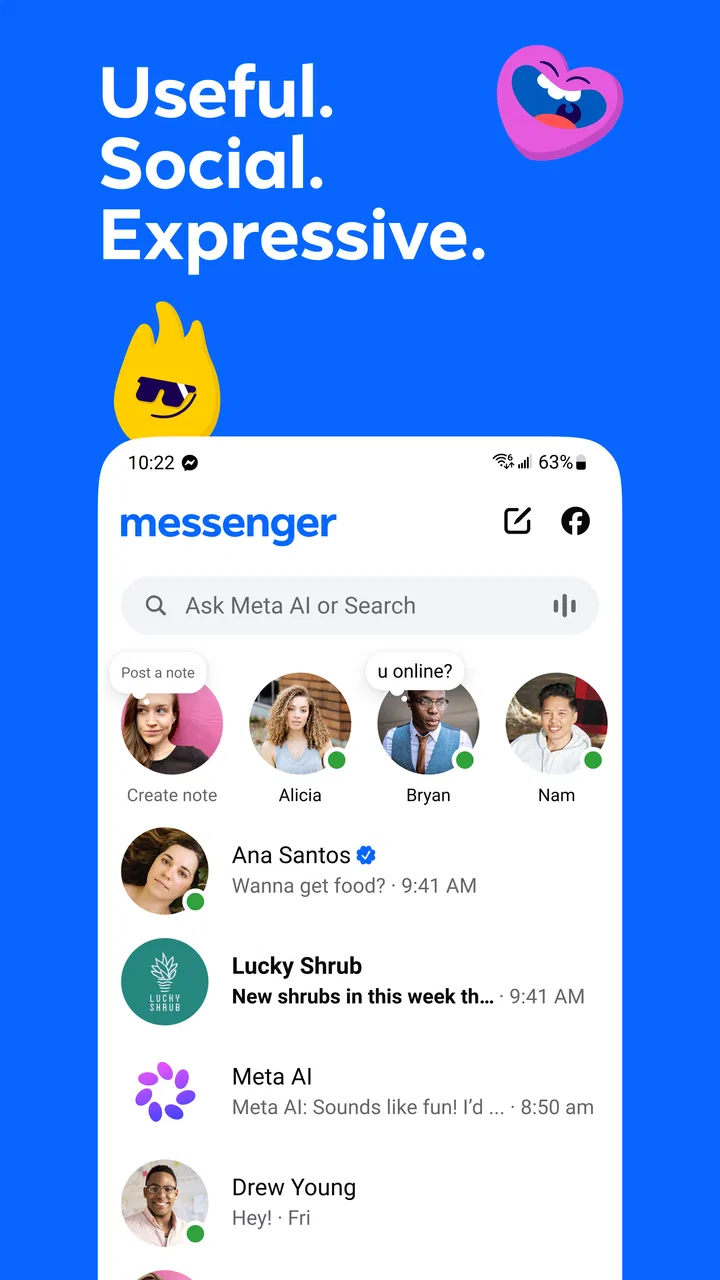
Messenger’s store summary describes it as useful, social, and expressive, while its short description is simply “Messenger.” I think the first description is fair as long as it is read practically. The app is useful because it combines several forms of contact, social because it connects naturally with familiar circles, and expressive because reactions and media add more than plain text. None of those qualities removes the need to manage noise or account for network limits.
My connectivity verdict
After using Messenger in strong-signal and inconvenient mobile situations, I see it as a capable everyday communicator rather than a universal answer to connectivity problems. Its best moments come when I need to move naturally from a message to a photo, voice note, or call, especially with people who already use the service. It is approachable, flexible, and practical for personal groups.
Its weaker moments are equally clear. Live communication depends on the quality of the connection, media-heavy chats can become difficult to navigate, and a busy social environment may demand more notification discipline than some users expect. I would not depend on it as the sole channel for a time-critical plan when the network is uncertain, and I would not choose it as my main work platform when structure matters more than informality.
Still, for a friend deciding whether to install it, my answer is straightforward: choose Messenger when your important contacts are already there and you want one mobile space for casual messages, shared media, and personal calls. Keep a simpler fallback for weak-network situations, write essential details clearly, and control noisy conversations early. Used that way, Messenger is most valuable as a flexible connection layer, not as a promise that every connection will always be perfect.
Meta Platforms, Inc. has made an app that fits naturally into ordinary social life, and its free price makes trying it easy. The real decision is not whether it can send a message; it clearly can. The decision is whether its combination of reach, expression, and convenience matches the way you communicate. For me, it does—provided I stay aware of the network, the amount of media in a chat, and the difference between a convenient conversation and a dependable record.
FAQs for Messenger
01What features does Messenger offer for communication?
Messenger provides a variety of features to enhance communication, including text messaging, voice and video calls, and the ability to send photos, videos, and voice messages. Users can also create group chats, use interactive stickers and emojis, and send money securely through its payment feature.
02Is Messenger free to use, and are there any hidden costs?
Messenger is free to download and use for basic messaging and calling features. However, data charges may apply if you are not connected to Wi-Fi. Additionally, some in-app purchases, like certain stickers or games, may incur costs, but these are optional and clearly marked.
03How secure is Messenger in terms of privacy and data protection?
Messenger incorporates various security features such as end-to-end encryption for voice and video calls, and Secret Conversations for encrypted text messages. Users can also control who can contact them through privacy settings. However, regular chats are not encrypted, so users should be mindful of the information they share.
04Can I use Messenger without a Facebook account?
Yes, Messenger allows users to sign up and use the app without an active Facebook account. You can register with your phone number to access all the essential messaging features. This makes it accessible to those who prefer not to use Facebook but still want to connect with friends and family.
05What platforms and devices support Messenger?
Messenger is available on both Android and iOS platforms, ensuring compatibility with a wide range of smartphones and tablets. Additionally, it can be accessed via web browsers on desktops and laptops, making it versatile for users who prefer different devices for communication.
Pros
- User-friendly interface with smooth navigation.
- Supports group video calls and chats.
- Wide range of expressive emojis and stickers.
- Messages are encrypted for added security.
- Seamless integration with Facebook.
Cons
- Can consume significant battery life.
- Requires Facebook account to use.
- Frequent notifications can be intrusive.
- Ads can be distracting during use.
- Limited customization options for themes.

Messenger
Gallery